10 AI Product Photography Prompts for Ads, Etsy & E-commerce Mockups
Studio-quality product shots without a studio: perfume, sneakers, skincare, coffee, gadgets and branded mockups.
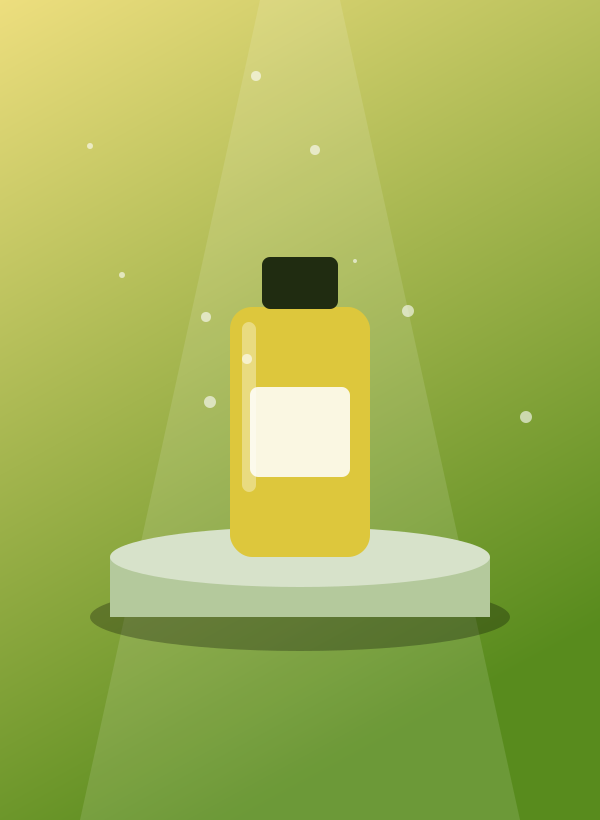
Why These Product Photography Prompts Work
Product photography used to need a studio, lights and a budget. With the right prompt, you can generate polished hero shots, flat lays and lifestyle mockups in seconds.
The prompts below are built for e-commerce sellers, Etsy shops, ads and social media. Click an image to copy the full prompt and swap in your own product.
10 Copy-Ready Product Photography Prompts
👆 Tap or click any image to open its full prompt in a popup, then press Copy Prompt.
Anatomy of a Perfect Product Photography Prompt
Every prompt above follows the same simple structure. Use this formula to write your own from scratch:
Product + material + surface + background + lighting setup + camera angle + brand mood + "commercial photography"
Write it as one natural sentence or a comma-separated list. Put the most important words first — most generators weigh the beginning of a prompt more heavily.
Product Photography Keyword Cheat Sheet
Mix and match these power words to change the mood of any prompt without rewriting it.
Lighting
softbox lighting, rim light, hard shadow, studio strobe, backlit
Surfaces
white marble, brushed concrete, wet slate, linen, acrylic block
Angles
45-degree, top-down flat lay, eye-level, macro close-up, floating
Brand Mood
luxury, minimalist, playful, organic, high-tech, retro
How to Use These Prompts in 4 Steps
- Pick an imageTap the picture that matches your idea and open its prompt.
- Copy the promptPress the Copy button — the full text goes to your clipboard.
- Paste & set the ratioPaste into your AI tool and set the aspect ratio shown in the popup.
- Remix itSwap the subject, colors or lighting to make the result your own.
Best AI Image Tools Compared
All prompts work across the major generators, though results differ a little. Here’s a quick comparison:
| Tool | Best for | Pricing | Verdict |
|---|---|---|---|
| Midjourney | Photoreal & artistic | Subscription | Best overall quality |
| DALL·E 3 / ChatGPT | Following long prompts | Included in ChatGPT plans | Easiest to start |
| Stable Diffusion / Flux | Full control, local use | Free / open-source | Most customizable |
| Leonardo AI | Game art & quick styles | Free daily credits | Great free tier |
3 Pro Tips for Better Product Photography Results
Specify the surface
The surface (marble, wood, glass) sets the whole brand feel and creates natural reflections.
Use "commercial photography"
This phrase pushes the model toward clean, ad-ready composition and lighting.
Leave copy space
Add "negative space on the right" if you plan to place text over the image.
Common Mistakes to Avoid
- Expecting readable label text — generate the scene first and add real labels afterwards.
- Writing very short prompts — details like light, lens and materials make the difference.
- Using contradictory words (for example “minimalist” and “highly cluttered”).
- Changing everything at once — adjust one element per run so you learn what works.
- Not saving good prompts — keep winners in a notepad so you can reuse them.
Frequently Asked Questions
Can AI product photos replace a photographer?
For concept art, ads and mockups, often yes. For exact product accuracy, composite your real product photo onto an AI background.
How do I keep my logo accurate?
AI struggles with text. Generate the scene without the logo, then add your real logo in an editor.
What ratio is best for e-commerce?
1:1 for marketplace listings, 4:5 for Instagram, and 16:9 for web banners.
Final Thoughts
Great product photography come from clear, specific prompts, and now you have ten to start with. Copy one, tweak it, and keep a collection of your favorites. Looking for more ideas? Explore the other prompt packs below or browse all AI image prompts.