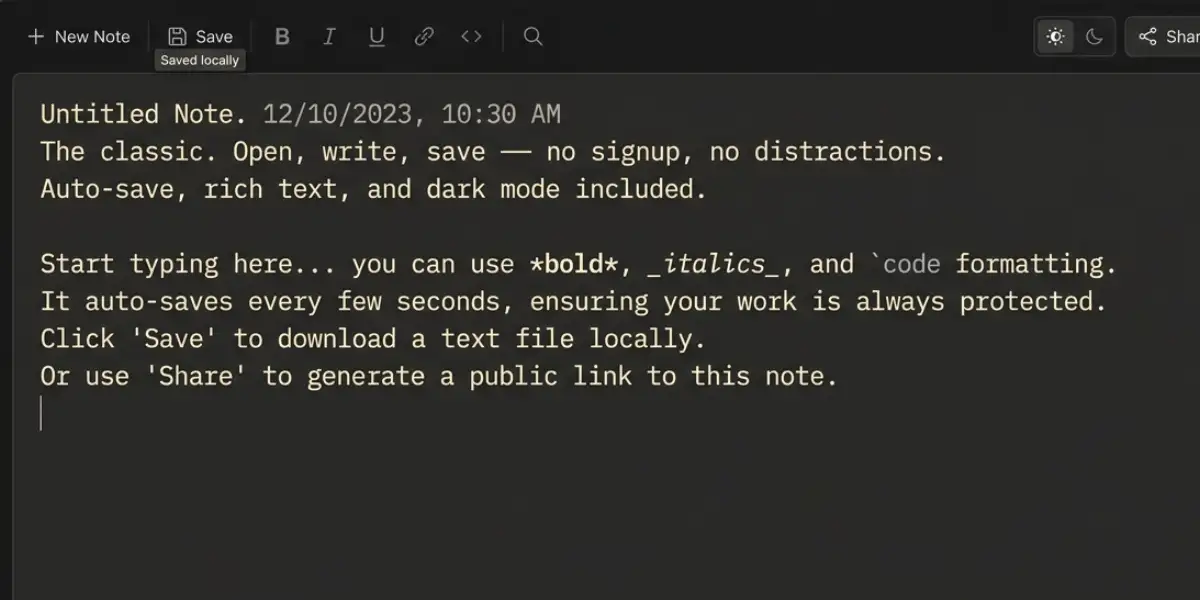
✦ No Signup. Just Write.
Web Notepad Online.
The cleanest free Text Editor on the web. Open, type, save — it's that simple. Works offline, auto-saves, zero distractions.
What makes us different
Everything you need.
Nothing you don't.
NotePad Online strips away the bloat and gives you a lightning-fast notepad experience that respects your focus.
Instant Auto-Save
Every keystroke is saved to your browser's local storage. Accidental tab close? Your notes are safe. Always.
Dark Mode
Toggle between light and dark themes to protect your eyes during late-night writing sessions.
Rich Text Formatting
Bold, italic, underline, lists, alignment, font sizes, text color — real formatting without the complexity.
Multiple Notes
Create unlimited notes, switch between them instantly. Each note has its own title, content and formatting.
Find & Replace
Powerful inline search. Find any word or phrase and replace it in one click or replace all instances at once.
Export Options
Download your notes as clean .txt or formatted .html files with one click. Your data, your control.
Live Stats
Real-time word count, character count, line count and reading time estimate shown in the status bar.
Works Offline
Once loaded, WebNotePad runs entirely in your browser. No internet needed. Your notes are stored locally.
Fullscreen Mode
Enter a distraction-free fullscreen writing environment with a single click. Pure focus, pure flow.
Explore the toolkit
Beyond WebNotepad Text Editor
Jump into focused tools for writing, planning, tracking, and deciding. All free, all in your browser.
📝 Writing & Note-Taking
📊 Text Analysis & Manipulation
Case Converter
Transform text to uppercase, lowercase, title case, and more instantly.
Open →Word Counter
Count words, characters, sentences, and paragraphs in your text instantly.
Open →Readability Analyzer
Check reading ease, grade level, and complexity scores for any text or document.
Open →Word Shuffler
Randomize word order in any text — perfect for creative prompts.
Open →🧠 Idea Organization & Visualization
🎲 Creativity & Randomization
🔍 Word & Puzzle Helpers
⏳ Productivity & Habit Management
Simple by design
Write in 3 steps.
01
Open & Type
Navigate to WebNotePad in any browser. No account. No download. No waiting. Just start writing immediately in the editor.
——→
02
Format & Organize
Use the formatting toolbar to style your text. Create multiple notes with custom titles. Search across all your notes instantly.
——→
03
Save & Export
Notes save automatically. When ready, export as TXT or HTML. Copy to clipboard in one click. Share anywhere.
✦ Choose your style
Write your way.
Three ways.
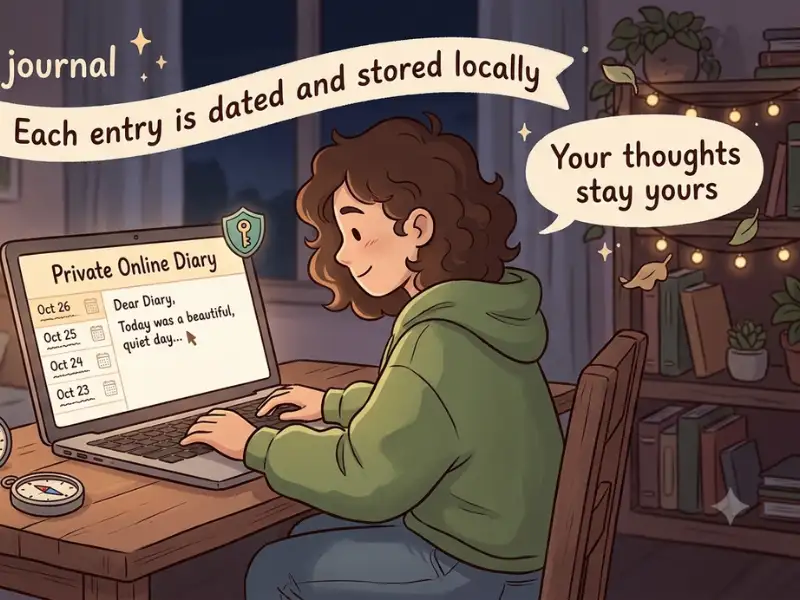
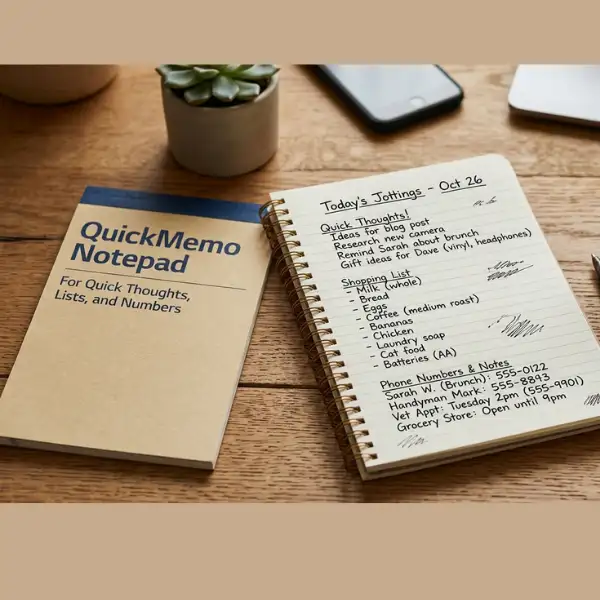
From quick jots to daily reflections, pick the tool that fits your flow.
Who uses NotePad Online
Built for every writer.
🎓
Students
Take class notes, draft essays, jot down study points and export them for later revision. Fast, clean, distraction-free.
💼
Professionals
Draft quick memos, track meeting action items, write project briefs or store temporary code snippets with ease.
✍️
Writers & Bloggers
Capture ideas, write first drafts, brainstorm article outlines or store quotes — without any editor getting in the way.
💻
Developers
Paste snippets, write quick docs, store API keys temporarily or jot down terminal commands in a clean browser notepad.
🛒
Everyday Users
Shopping lists, to-do items, phone numbers, recipes, passwords — anything you need to jot down fast and access instantly.
🎨
Creatives
Brainstorm ideas, write song lyrics, script dialogue, capture fleeting inspiration before it slips away.
Our story
A notepad built on one principle.
Notepad Online was created with a single obsession: what if a notepad just worked? No popups asking you to sign up. No complex menus to navigate before you can write a single word.
We believe writing tools should be invisible. The best notepad is the one you forget is there — it just captures your thoughts the moment they arrive. That's what WebNotePad does.
Your notes live in your browser, not our servers. We don't collect your data. We don't read your notes. We don't monetize your attention. WebNotePad is, and always will be, 100% free and private.
🔒 Private by default
🌐 Works everywhere
⚡ Blazing fast
♾️ Free forever
"The best ideas deserve the best notepad. Simple, fast, and always there."
— WebNotePad Team✍️ From the notebook
Latest Blog Posts
Insights on productivity, notetaking, privacy, and creative thinking — from the team behind the cleanest online notepad.
Boost Your Productivity: The Ultimate Guide to Digital Study Planners
Here's how to build a free, browser-based study system for assignments, revision and exam prep.
The Ultimate Guide to Digital Note-Taking in 2026
Everything you need to know about capturing, organizing and acting on your ideas online.
Why Privacy Matters: How Browser-Based Notepads Keep Your Ideas Safe
Local storage vs. cloud servers: why your thoughts belong only to you. A manifesto for digital autonomy.
Brainstorming Techniques: Using Free Online Mindmaps and Notepads for Creative Projects
Five proven brainstorming methods that turn blank pages into breakthrough ideas.
Got questions?
Frequently Asked Questions.
Yes, WebNotePad is 100% free with absolutely no hidden costs, no subscriptions, and no account required — ever.
Yes. WebNotePad auto-saves your notes in your browser's local storage every few seconds. You'll never lose your work even if you accidentally close the tab.
Once loaded in your browser, WebNotePad works fully offline. Your notes are stored locally — no internet connection is needed to continue writing.
Use the Export TXT or Export HTML buttons in the editor toolbar to download your notes as a file instantly. No sign-in required.
Absolutely. Your notes are stored only in your browser's local storage. We have no access to your notes. Nothing is sent to any server.
Yes! Click the + button in the sidebar to create unlimited notes. Each note has its own title, content and formatting independently saved.
WebNotePad works on all modern browsers including Google Chrome, Mozilla Firefox, Safari, Microsoft Edge, and Opera on both desktop and mobile.
Yes! WebNotePad is fully responsive and mobile-friendly. The interface adapts to smaller screens so you can write comfortably on your phone or tablet.
Ready to write?
No signup. No download. No nonsense. Just open the notepad and start writing right now.
Start Writing Free →