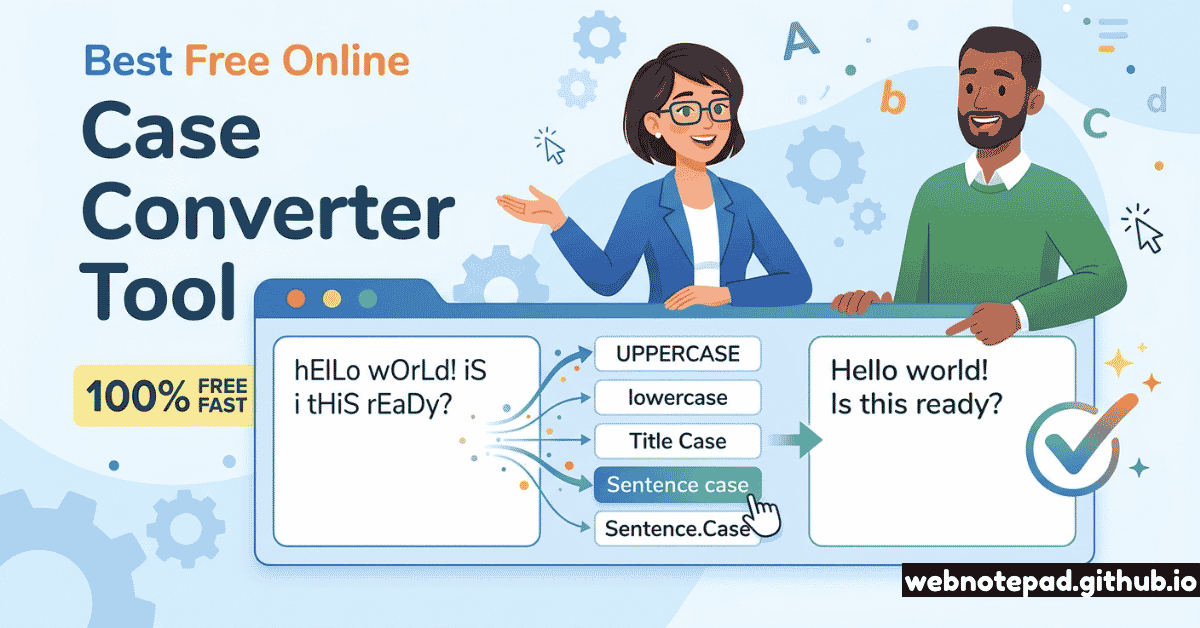
You've typed an entire paragraph in CAPS LOCK without noticing. A copied code snippet has the wrong variable naming convention. Your article headings need consistent Title Case but you're not sure which words to capitalise. A client sent you text in ALL CAPS that needs to go into a normal paragraph.
These are problems that a free online case converter solves in under five seconds — paste your text, click a button, copy the result. No software. No account. No waiting. But which case is the right one, and when? That's what this guide covers comprehensively.
What Is a Text Case Converter?
A text case converter is a tool that transforms plain text from one capitalisation format to another. It does programmatically in one click what would take you minutes to do manually — scrolling through text and re-capitalising individual letters.
Online case converters are used by:
- Writers and editors — fixing ALL CAPS text, ensuring consistent heading capitalisation, converting copied text to the right format
- Developers and programmers — converting variable names between camelCase, snake_case, PascalCase, and kebab-case when switching languages or frameworks
- SEO specialists and content teams — ensuring Title Case consistency across thousands of headings and meta titles
- Data analysts — normalising inconsistently-cased data (e.g. a database column with "new york", "New York", and "NEW YORK" all referring to the same city)
- Students — quickly formatting essay titles, bibliography entries, and chapter headings to the required style guide
Convert between UPPERCASE, lowercase, Title Case, Sentence case, camelCase, snake_case, kebab-case, PascalCase and more. Instant. No account. Works in any browser.
Open Case Converter →Every Text Case Explained (With Examples)
Here is every significant text case, with a clear example and its primary use context:
Every letter is capitalised. Used sparingly for emphasis, labels, acronyms, legal documents, and shouting on the internet.
Acronyms (NASA, HTML), keyboard labels, legal contract headings, warning notices, brand names like IBM or CNN, emergency signage.
All letters lowercase. The default for URLs, database fields, programming identifiers (in many languages), and casual digital communication.
Web URLs, CSS class names, HTML attributes, social media handles, email addresses, JSON keys, informal online writing.
First letter of most words capitalised; articles, prepositions, and conjunctions are typically lowercase unless they start the title.
Book and film titles, article headings, blog post titles, product names, navigation menus, chart labels, presentation slide headings.
Only the first letter of the first word (and proper nouns) is capitalised. Standard for normal written English sentences.
Body text, emails, social media posts, UI button labels (Google and Apple both use sentence case in their UIs), form labels, tooltips.
First word lowercase, subsequent words start with uppercase. No spaces or separators. Named after the "humps" created by the capital letters.
JavaScript variable and function names, Java methods, JSON properties, Swift/Kotlin variables, React props, API response fields.
Like camelCase but the first word is also capitalised. Also called UpperCamelCase. Every word starts with a capital letter, no spaces.
Class names in most OOP languages (Python, Java, C#), React component names, TypeScript interfaces, C# namespaces, .NET conventions.
All lowercase with underscores between words. Highly readable and popular in systems-level and scripting languages. Underscores are visible separators.
Python variable and function names (PEP 8), database column names, Ruby methods, shell script variables, C/C++ function names, file names on Linux systems.
Lowercase with hyphens between words. Looks like words on a skewer — hence "kebab." Used heavily in web contexts where hyphens are valid but underscores may not be.
CSS class names, HTML5 custom data attributes (data-user-id), URL slugs, Lisp conventions, Vue.js component file names, npm package names.
Additional cases worth knowing
Quick Reference: When to Use Each Case
| Case Type | Format Example | Use It For | Avoid For |
|---|---|---|---|
| UPPERCASE | THE FOX | Acronyms, legal headings, labels, emphasis | Body text — reads as shouting |
| lowercase | the fox | URLs, CSS, JSON, database fields | Formal prose, headings |
| Title Case | The Brown Fox | Titles, headings, nav items, product names | Body text, UI button labels |
| Sentence case | The brown fox | Body text, emails, UI labels, social media | Book/film titles |
| camelCase | theBrownFox | JS/Java variables, JSON, API fields | Python, CSS, URLs |
| PascalCase | TheBrownFox | Class names, React components, C# types | Variables, CSS, file names |
| snake_case | the_brown_fox | Python, Ruby, DB columns, file names | CSS, URLs, JavaScript |
| kebab-case | the-brown-fox | CSS classes, URL slugs, HTML attributes | Programming variables (hyphens = subtraction) |
| CONSTANT_CASE | THE_BROWN_FOX | Constants, env variables, config keys | Regular variables or function names |
How to Convert Text Case Online — Free and Instant
Open the Case Converter
Navigate to webnotepad.github.io/case-converter in any browser. The tool loads instantly — no account, no registration, no download required.
Paste or type your text
Click the input box and paste any amount of text — a single word, a sentence, a paragraph, or thousands of lines. There's no practical limit for everyday use cases.
Click your target case
Click any conversion button — UPPERCASE, lowercase, Title Case, Sentence case, camelCase, snake_case, kebab-case, PascalCase, and more. The text converts instantly as you click.
Copy and use
The converted text is ready to copy. Use the Copy button for instant clipboard copy, or select all text and use Ctrl+C / Cmd+C. Paste directly into your document, code editor, or wherever you need it.
Keyboard shortcut workflow for power users
The fastest workflow for repetitive case conversion: copy text (Ctrl+C) → switch to case converter tab → Ctrl+V to paste → click conversion button → Ctrl+A to select all → Ctrl+C to copy converted text → switch back to your document → Ctrl+V to paste. Once this becomes muscle memory, converting any text takes under 5 seconds. Keep the case converter pinned as a permanent browser tab.
Developer Cases in Depth: camelCase, snake_case & kebab-case
For developers, case conversion isn't just cosmetic — wrong case in code causes syntax errors and failed tests. Here's when each developer case is the standard:
JavaScript: camelCase
Variables, functions, methods: getUserName(), isLoggedIn, fetchApiData(). Classes and constructors use PascalCase: UserProfile, ApiClient.
Python: snake_case
Variables, functions, methods: get_user_name(), is_logged_in. Classes use PascalCase: UserProfile. Constants use SCREAMING_SNAKE: MAX_RETRY_COUNT.
CSS: kebab-case
Class names and IDs: .nav-header, #main-content, .btn-primary. Custom properties: --primary-color, --font-size-lg.
React: Mixed
Components: PascalCase (UserCard). Props: camelCase (onClick, isLoading). CSS Modules: camelCase or kebab-case depending on config. File names: PascalCase for components.
Writing Cases in Depth: Title Case Rules
Title Case is where most writers get tripped up, because the rules aren't simple. Different style guides disagree on which words to capitalise, and the rules have exceptions:
Title Case Rules by Style Guide
AP Style (journalism): Capitalise words of 4+ letters. Articles (a, an, the), conjunctions (and, but, or), and short prepositions (in, on, at) in lowercase — unless they start the title.
Chicago Style (books/academia): Similar to AP but also lowercases prepositions of any length (through, between, until) unless they start the title.
APA Style (psychology/social science): Capitalise the first word, first word after a colon, and all major words. No lowercase articles mid-title.
Simplified (blogs/content): Capitalise every word except articles, short prepositions, and coordinating conjunctions. When in doubt, capitalise it.
Google/Apple UI style: Sentence case for most labels and buttons — only the first word capitalised. This has become dominant in UI design.
For consistent title case conversion that follows a standard rule set, a case converter tool is vastly more reliable than human memory — it applies the same rule to every word without exceptions or fatigue.
Frequently Asked Questions
"Proper Case" and "Title Case" are often used interchangeably. Both mean capitalising the first letter of most words. Some tools call it "Proper Case" to distinguish it from the more specific AP/Chicago/APA title case rules — it usually just means every word starts with a capital: "The Quick Brown Fox Jumps Over The Lazy Dog."
The two are distinguished specifically for use in different programming contexts. camelCase (lower camel) is dominant for variables and functions in most languages because starting with lowercase signals "this is a variable." PascalCase (upper camel) is used for class and type names because starting with uppercase signals "this is a type." Following this distinction consistently is part of idiomatic coding in most languages.
It depends on your operating system and context. On macOS and Linux, both work. On Windows, both work but Windows is case-insensitive for file names. For web development, kebab-case is preferred for HTML, CSS, and URL slugs because hyphens are word separators in most web contexts. For Python files and scripts, snake_case is standard (following PEP 8). For blog post URLs, kebab-case (this-is-a-url-slug) is the dominant convention.
Plain-text case converters work on the text content only and don't affect HTML tags or formatting codes in the text. If you paste formatted text (with HTML markup), the tool will also convert the text inside the tags. For preserving rich text formatting, use the WordPad Online editor which has built-in UPPERCASE, lowercase, and Title Case conversion in its Format ribbon tab.
Automatic sentence case conversion capitalises only the first letter of the first word and lowercases everything else. It cannot reliably detect proper nouns (names, brands, places) because that requires semantic understanding of the text. After converting to sentence case, review proper nouns manually and re-capitalise them as needed. This is a limitation of all automated case converters.
CONSTANT_CASE (also called SCREAMING_SNAKE_CASE) is used for constants in programming — values that don't change during program execution. Examples: MAX_CONNECTION_TIMEOUT, API_BASE_URL, DEFAULT_PAGE_SIZE. It's the convention in Java, Python, JavaScript (for const values intended to be truly constant), C, and many other languages. The all-caps format visually signals "this value never changes."
Text case is not a cosmetic detail — it's a communication signal. UPPERCASE conveys urgency or labels. Title Case signals a heading. camelCase identifies a JavaScript variable. Following case conventions correctly makes your writing more professional, your code more readable, and your content more consistent. And when you need to convert between them, a free online case converter does it in one click. No excuses for the wrong case ever again.