In 2026, the most powerful productivity tool on your desktop isn't a $15/month app — it's a free browser tab. A free online notepad that opens in seconds, requires no login, and syncs nothing to anyone. Just you and your words.
We've been tracking how thousands of people actually use WebNotePad day to day. What we found surprised us: the people who get the most out of a simple notepad aren't using it for simple things. They've developed systems — clever, repeatable workflows that transform a blank text box into a genuine productivity engine.
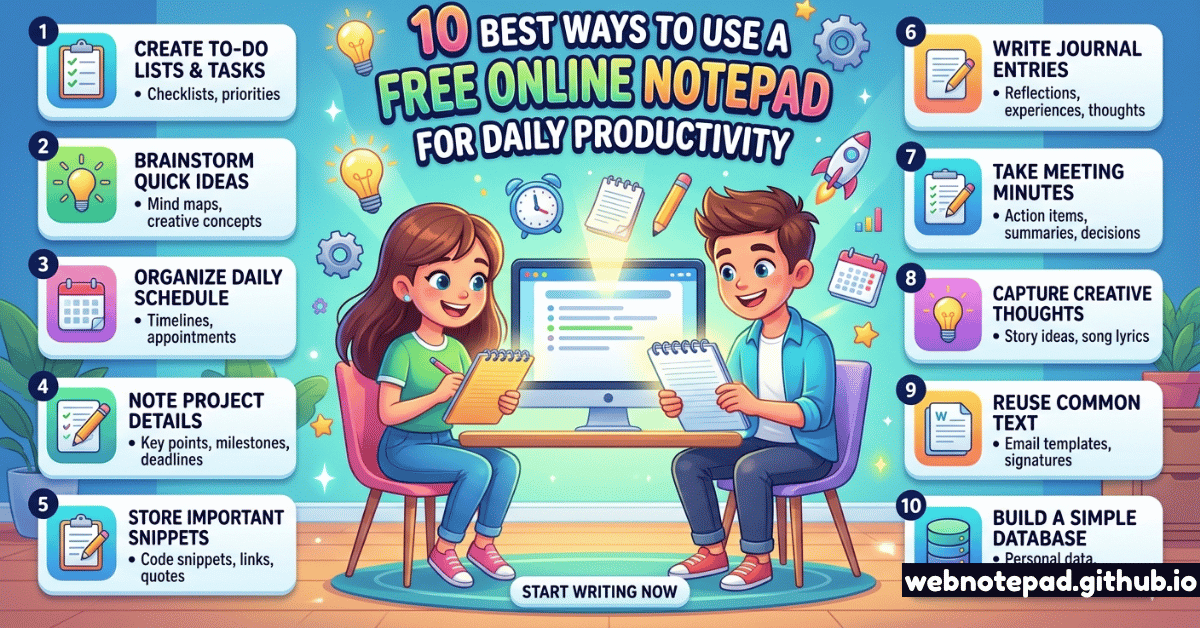
Here are the 10 best ways to do the same.
1. Rapid Idea Capture — Before Your Brain Moves On
Quick Capture: The 3-Second Rule
The best ideas arrive uninvited and leave without warning. The only way to catch them is to have a notepad that's already open. Keep a browser tab pinned to your online notepad at all times. The moment an idea surfaces — in a meeting, mid-email, mid-shower thought — type it instantly. No formatting. No folder. Just the raw idea.
The beauty of a browser-based notepad is zero friction. No password, no loading screen, no "where did I save that?" — it's always right there in your tab bar, already open, already saved from your last session. WebNotePad's auto-save means your captures survive even if your laptop dies.
Pro move: Create a note called "INBOX" and pin it. Everything raw goes there first. Once a week, process and move items out.
2. Morning Brain Dump — Clear the Mental Cache
The 5-Minute Morning Brain Dump
Every morning, open a fresh note and type everything in your head for 5 minutes — worries, tasks, stray thoughts, yesterday's unfinished items. This "clearing the mental cache" technique is backed by research showing it reduces decision fatigue and improves focus quality by up to 30% in the first two hours of work.
This practice, popularized as "morning pages" by Julia Cameron and refined in GTD methodology, works because it gets competing thoughts out of working memory and onto a surface you can look at. Once they're written, your brain stops cycling through them.
3. Real-Time Meeting Notes — Without Missing a Word
Structured Meeting Notes Template
Keep a running meeting note with three sections: CONTEXT, DECISIONS, and ACTIONS. During the meeting, type freely under Context. Immediately tag any decision made with a D: prefix and any action item with @name due:date. After the meeting, your note is already a structured record.
Unlike Google Docs or Notion, an online notepad doesn't try to format your typing or autocorrect "re:" into something else. It just records what you type, at the speed you think. That simplicity is its greatest feature in live-note-taking scenarios.
Multiple notes, auto-save, dark mode, and export — our free online notepad is the fastest way to capture meeting notes without switching apps.
Open WebNotePad →4. Daily To-Do List — Your One Non-Negotiable
The MIT Method: Most Important Tasks First
Each morning, create a new daily note. At the top, write your three Most Important Tasks (MITs) — the three things that would make today successful even if nothing else got done. Below that, list everything else. Work only from the MIT list until all three are done.
The reason this works in a plain notepad better than a task app is paradoxical: the lack of features is the feature. No priority tags, no recurring reminders, no Gantt charts. Just three things. Today. That clarity is harder to achieve when you're buried in an app's interface.
For more structured task management, pair this with our free online List Maker — which supports priority levels, due dates, and checklists. But for the daily MIT practice, a plain notepad note wins.
5. First Drafts — Write Fast, Edit Later
The Zero-Draft Technique
A "zero draft" is a draft before the first draft — no grammar checking, no deleting, no going back. Open a blank notepad note and write your email, blog post, or report straight through without stopping. The brain thinks in complete thoughts, not polished sentences. Let it think. Polish later.
Hemingway famously wrote first drafts with the rule "never look back." A distraction-free online notepad with no red squiggly lines, no formatting toolbar demanding your attention, and no collaboration notifications is the closest digital equivalent to a yellow legal pad — the original writer's tool.
6. Clipboard Manager — Temporary Paste Storage
The Scratch Buffer
Keep one note called "SCRATCH" and use it as a temporary clipboard. Paste URLs, code snippets, tracking numbers, addresses, and any text you need to move between apps. Unlike your system clipboard (which only stores one item), your scratch note can hold dozens of temporary items until you're done with them.
Software developers and power users have done this for decades — keeping a terminal window or Notepad.exe open as a scratch buffer. The browser equivalent is cleaner, accessible from any device on the same network, and auto-saved.
7. Weekly Review — Close Open Loops
The Friday 15-Minute Review
Every Friday, open a new weekly-review note. Write three sections: What I completed, What's still open, and What I'm carrying into next week. This ritual, done in 15 minutes, provides closure on the week, reduces the Sunday-anxiety of "did I forget something?", and creates a natural productivity log over time.
Over time, these weekly notes become an invaluable work diary — a searchable record of your professional life that you can reference during performance reviews, project retrospectives, or when you simply can't remember whether you sent that email three weeks ago.
8. Research Notes — Temporary Knowledge Store
The Research Accumulator
When researching a topic — before writing an email, making a decision, or preparing for a call — open a note and paste quotes, URLs, and key facts as you find them. Don't organize as you go. Accumulate first, organize once. At the end, you have a raw knowledge base to work from.
This is faster than bookmarking, less cognitive overhead than a knowledge management system, and perfectly adequate for the 80% of research tasks that have a single deadline. The notepad empties with you — once you've written the piece or made the decision, the note becomes an archive or gets deleted.
9. Temporary Sensitive Data — Handle With Care
The Safe Scratch Pad
Sometimes you need to temporarily store a password, OTP, license key, or sensitive text while moving it between apps — and you don't want it going through cloud sync. A browser-local notepad stores nothing on servers. The text exists only in your browser's local storage, on your device.
WebNotePad stores all data locally in your browser. No server ever receives your content. This makes it fundamentally more private than cloud-synced note apps for temporary sensitive data. Always clear the note after you're done, and never store permanent passwords here — use a dedicated password manager for that.
10. Deep Work Focus Sessions — The Anchor Document
The Context Document
Before entering a 90-minute deep work session, open a note and write: your goal for this session, the first action to take, and what success looks like. Keep this note visible throughout the session. When you get distracted (and you will), the note pulls you back. It's your anchor.
Cal Newport calls this a "shutdown ritual" applied to the beginning of work. The act of writing your goal activates what psychologists call "implementation intentions" — specific if-then plans that make goal achievement 200–300% more likely according to meta-analyses of over 8,000 participants.
The best productivity tool isn't the most complex one — it's the one with the lowest friction. A free online notepad that's always one click away, never asks you to sign in, and saves everything automatically, removes every barrier between your thoughts and the written word. That's the edge.
Start Now — Your Notepad Is Ready
You don't need to implement all 10 of these at once. Pick one. Start with the morning brain dump or the daily MIT list. Run it for two weeks. Notice whether you feel clearer, calmer, and more in control of your day.
Then add another. Over time, these small practices compound into the kind of focused, intentional work day that most people only dream about.
Your free online notepad is already open at webnotepad.github.io. The only thing left to do is use it.
Take your productivity to the next level by pairing your notepad with a visual mind map. Capture relationships and connections that linear notes can't show.
Try the Mind Map Tool →