- The Hidden Cost of Writing Distractions
- Why a Notepad Beats Purpose-Built Writing Apps
- The Zero-Draft Method
- Sprint Writing: The 25-Minute Drafting Protocol
- The Full Writer's Workflow: Notepad to Published
- Designing Your Distraction-Free Writing Environment
- Specific Techniques for Bloggers and Content Writers
Ask any professional writer about their drafting environment and you'll hear a consistent theme: the best first drafts are written in the most stripped-down conditions possible. Hemingway on a manual typewriter. Stephen King writes his first drafts longhand. Jonathan Franzen famously writes on a laptop with the Wi-Fi card physically removed.
The principle is universal: when generating content, friction and distraction are the enemy of output. And in 2026, the most friction-free writing environment available to most people is not a premium writing app — it's a free browser notepad with nothing but a cursor and a word count.
Here's why that's true, and exactly how to use it.
The Hidden Cost of Writing Distractions
Research on attention and writing productivity consistently shows that interruptions cost far more than the time they take. A 2023 UC Irvine study found that after any interruption — even a glanced-at notification — it takes an average of 23 minutes and 15 seconds to return to full cognitive engagement with complex writing tasks.
"The act of writing requires a sustained mental state that is extraordinarily fragile. Each notification, each tab switch, each formatting decision pulls you out of that state — and getting back is exponentially harder than staying in."
— Dr. Gloria Mark, University of California Irvine, "Attention and Technology" (2024)But here's what most writers miss: it's not just active interruptions that kill drafting speed. Passive distractions built into the writing interface itself do just as much damage:
- Visible toolbar inviting formatting decisions mid-sentence
- Spell-check red underlines pulling your eye mid-paragraph
- Word count anxiety when it's visible at all times
- Sidebar with links to other documents pulling focus
- Auto-formatting that changes what you just typed
- Comments and suggestion panels demanding attention
- Share and collaboration features creating social pressure
- Notification dots on adjacent tabs in view
- Blank page, blinking cursor, nothing else
- No toolbar visible during typing
- Spellcheck optional (can be toggled off)
- Word count only in the status bar — not in your face
- No sidebar, no navigation, no links to elsewhere
- No auto-formatting changing what you type
- No collaboration features creating audience anxiety
- Full-screen mode available for total isolation
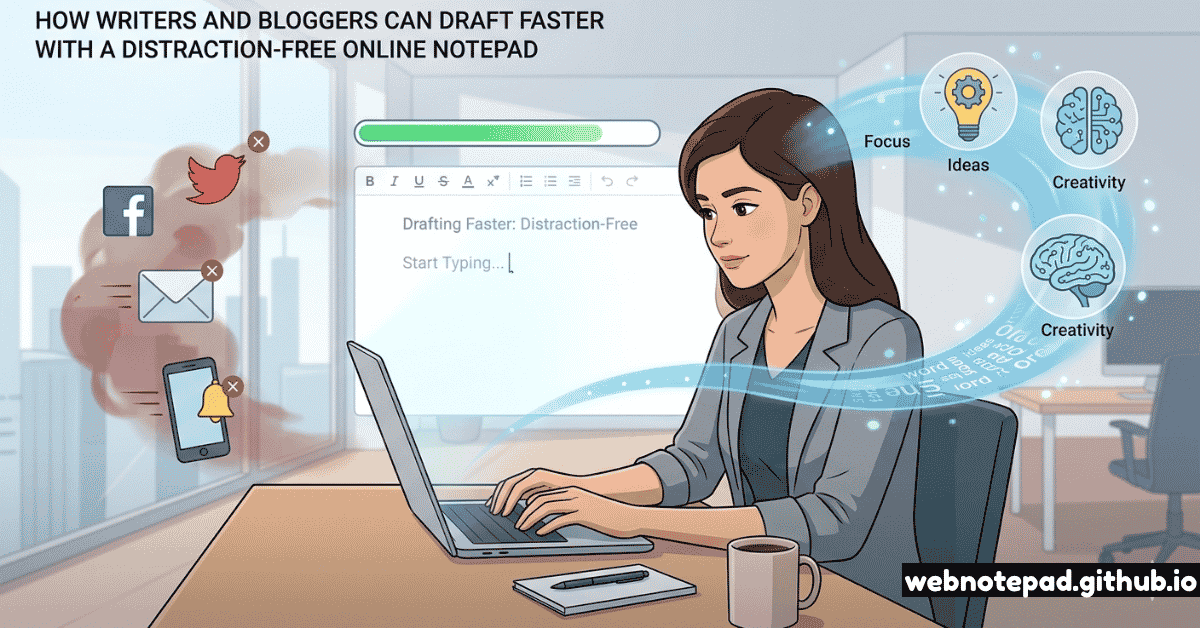
WebNotePad's online notepad is distraction-free by design. There's no toolbar demanding that you format while you write, no persistent sidebar, no account notifications, and no sharing features creating the psychological pressure of being watched. It's just you and the words. That environment produces faster drafts.
Why a Plain Notepad Beats Purpose-Built Writing Apps
Apps marketed to writers — Scrivener, Ulysses, iA Writer, Hemingway Editor, Grammarly — are all adding complexity to a task that benefits from simplicity. They're useful at different stages of the writing process, but not for first drafts.
The Three Stages of Writing — Matched to the Right Tool
Stage 1 — Capture/Draft: Speed and volume are everything. Use the simplest possible tool. A plain notepad. No features.
Stage 2 — Structure/Edit: Reorganize, cut, strengthen. Use a word processor or your final publishing environment.
Stage 3 — Polish/Proof: Grammar, style, readability. Now use Grammarly, Hemingway Editor, or your editor's tracked changes.
Applying Stage 3 tools to Stage 1 work is the single biggest cause of slow first drafts.
The problem with using a "proper" writing app for first drafts is that it blurs these stages together. Grammarly showing you errors while you draft pulls you into Stage 3 thinking while you're in Stage 1. Scrivener's corkboard pulls you into Stage 2 structure while you're still generating raw material. The result: you produce less, more slowly, and with more anxiety.
The Zero-Draft Method
The zero-draft is a technique championed by writing teachers and professional authors alike: it's a draft written before the first draft, with no intention of keeping most of it. The zero-draft is purely exploratory — you write to find out what you think, not to produce publishable content.
Open a blank note — title only
Open WebNotePad and type your article topic as the note title. Nothing else. Resist the urge to write an outline first. An outline is already a form of commitment that slows you down.
Write continuously for 20 minutes — no deleting
Start writing about your topic without stopping, without going back, without deleting. If you write something wrong, write "actually that's wrong because" and keep going. The no-delete rule is sacred. Every deletion is a micro-editing decision that costs attention.
Read it once, highlight what works
When the 20 minutes ends, read through what you wrote. Note mentally (or with a * asterisk) the sentences and paragraphs that feel right, that surprise you, that capture something true. These are the seeds of your real first draft.
Export and open in your word processor
Use the Export TXT button to download your zero-draft. Open it in WebNotePad's word processor or your preferred editor. Now you're not writing from nothing — you're reorganizing and strengthening material that already exists.
Sprint Writing: The 25-Minute Drafting Protocol
The Writing Sprint
Set a 25-minute timer. Open your notepad. Write without stopping. No editing. No research. No tab-switching. Your only job for 25 minutes is to produce words. When the timer ends, stop — even mid-sentence. Take a 5-minute break. Repeat.
This technique, adapted from the Pomodoro Technique by Francesco Cirillo, works for writing because it addresses the two core enemies of drafting: perfectionism and exhaustion. The fixed time limit makes perfectionism pointless (you can't polish in 25 minutes) and the mandatory break prevents the mental fatigue that degrades writing quality in long uninterrupted sessions.
Sprint writing rules:
- Before the sprint, write your goal for that sprint in the note header — one sentence, specific. "Write the section on why distraction costs 23 minutes per interruption."
- During the sprint, the only tab open is your notepad. Everything else closed or minimized.
- If you get stuck, write "[STUCK — need research on X]" and keep going. Don't break the sprint to research.
- If you finish your goal early, keep writing — expand, add examples, explore tangents. More material is always better than less at this stage.
- After each sprint, write one sentence summarizing what you produced. This doubles as a progress log and helps you maintain context between sprints.
The Full Writer's Workflow: Notepad to Published
Stage 1 — Ideation (5–10 min)
Open a notepad note titled "IDEAS". Brain dump everything you know about the topic. Every angle, every example, every question the reader might have. Raw, fragmented, unordered.
📝 WebNotePad NotepadStage 2 — Structure (10–15 min)
Take your idea dump into the mind map tool. Cluster related ideas into sections. Identify the 5–7 main sections your article needs. This becomes your working outline.
🧠 WebNotePad Mind MapStage 3 — Zero Draft (20–25 min)
Back to the notepad. Write continuously using the mind map as a loose guide. Don't follow it rigidly — let the writing go where it wants. The map is a compass, not a straitjacket.
📝 WebNotePad NotepadStage 4 — Sprint Drafts (2–3 sprints)
Run 2–3 focused 25-minute sprints to develop each major section. Each sprint has a specific section goal. Between sprints, review what you've written and note transitions needed.
📝 WebNotePad NotepadStage 5 — Structure Edit (30–45 min)
Export the draft as TXT. Open in WordPad Online or your preferred editor. Cut, reorganize sections, add transitions, strengthen your opening and closing.
📄 WebNotePad WordPadStage 6 — Polish & Proof (20–30 min)
Read aloud. Cut weak sentences. Check all facts and links. Apply grammar check. Move to your publishing platform (WordPress, Ghost, Substack) for final formatting and SEO.
✓ Publishing PlatformDesigning Your Distraction-Free Writing Environment
The tool is only one dimension of a distraction-free writing environment. Here are the others:
Notification Blackout
Enable Do Not Disturb on your OS before every writing session. No exceptions. Notifications during drafting cost 23 minutes per interruption — they are never worth checking mid-sprint.
Single-Tab Policy
Close every browser tab except your notepad before a sprint starts. The mere visibility of other tabs creates switching temptation. Invisible = irrelevant.
Fullscreen Mode
Use WebNotePad's fullscreen button (⛶ in the toolbar) to hide the browser chrome entirely. The only thing on your screen is your words and your cursor.
Ambient Lighting
Dim ambient room lighting to reduce the contrast between your screen and surroundings — this reduces eye strain during long sessions. Dark mode helps too.
Specific Techniques for Bloggers and Content Writers
Bloggers face a specific challenge that novelists don't: every article needs to perform in search, serve a reader intent, and hit a target length — while also being genuinely good writing. Here's how to reconcile those pressures with fast drafting:
The Keyword-to-Draft Handoff
Before your writing session, research your target keyword and user intent — but do that research in a separate browser session, in a separate note. Write a research summary note: "Reader wants to know X. Key facts: A, B, C. Their likely objections: D, E." Then close the research tab and open a fresh blank note. Now draft from memory, using your research summary as a reference without re-reading the source material. This forces synthesis rather than paraphrasing, and produces more original content faster.
The Opening Sentence Rule
Never start a blog draft with your introduction. Start with whatever section you find most interesting or most clear in your mind — usually a middle section with a concrete example. The introduction is always the hardest sentence to write, and writing it first causes more blank-page paralysis than anything else. Write it last, when you know exactly what you've argued.
Open WebNotePad, create a new note with your article topic as the title, set a 25-minute timer, and write. No formatting. No editing. Just words. See how much you produce.
Open Distraction-Free Notepad →The best writing app for first drafts is the one with the fewest features. Every feature a writing tool adds beyond "type and save" is a potential distraction from the only thing that matters: putting words on the page. A free online notepad isn't a compromise — it's the highest-fidelity drafting environment available.