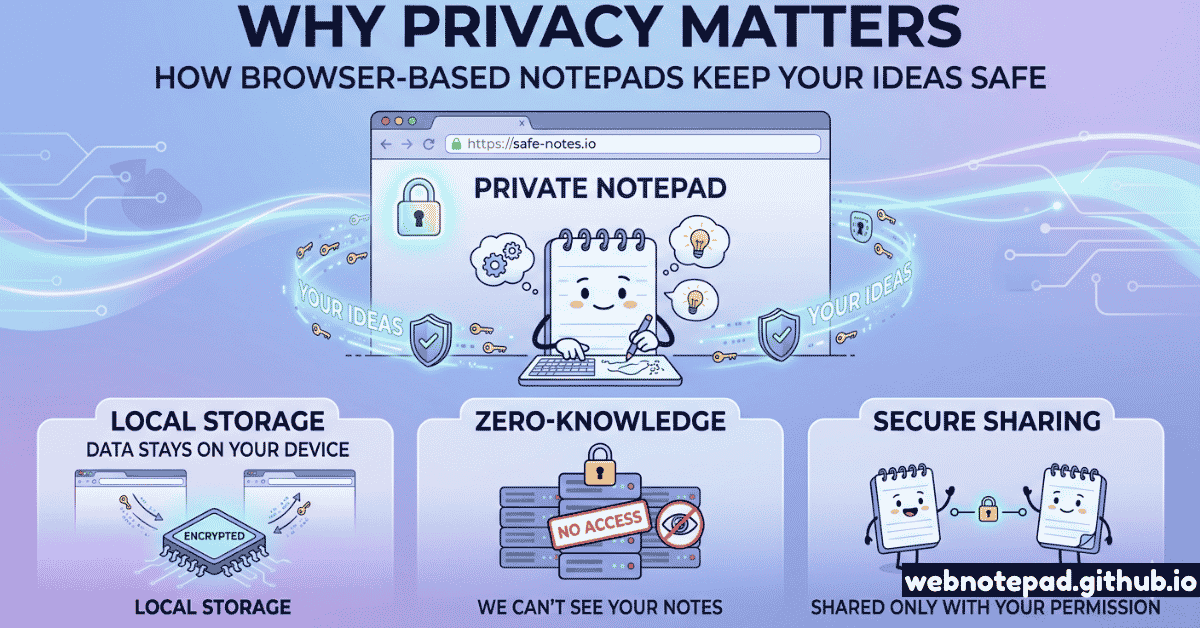
Most people assume that when they open a note-taking app and start typing, their words are private. They're often wrong. Understanding where your notes actually live — and who has access to them — is the first step toward genuinely private writing.
The short answer: when you use a browser-based, local-first tool like WebNotePad, your words never leave your device. When you use a cloud-synced app, they do — and then they live somewhere you don't control.
What Actually Happens When You Type in a Cloud Note App
Here's the technical journey of a note you create in a typical cloud note app like Evernote, Google Keep, Notion, or Apple Notes when iCloud sync is on:
- You type a word.
- The app sends that content to the company's servers via an encrypted HTTPS connection.
- The company stores your note on their infrastructure — often in multiple data centers for redundancy.
- That data is subject to the company's privacy policy, which may include scanning for content moderation, machine learning model training, advertising targeting, or other purposes.
- That data is also subject to legal requests — governments can compel companies to hand over user data.
This doesn't mean cloud note apps are malicious. Most aren't. But the architecture means your data is inherently out of your control the moment you type it — regardless of the company's stated good intentions.
What is Browser Local Storage?
Browser local storage (technically localStorage in the Web Storage API) is a data storage mechanism built into every modern browser — Chrome, Firefox, Safari, Edge, and others. It allows a website to save data directly to your device's browser, scoped to that site's domain.
Key Properties of Local Storage
Origin-scoped: Only the website that wrote the data can read it back. No other site can access it.
Sandboxed: Other apps on your computer can't access it either — it lives inside the browser's sandbox.
Never transmitted: Local storage data is never sent to any server as part of normal operation.
Persistent: It survives browser restarts (unlike sessionStorage) until you clear it or the website deletes it.
When WebNotePad saves your notes, it calls localStorage.setItem() — a browser API that writes your text to a small database stored inside your browser, on your local hard drive. That data is not sent over the network. Ever. There's no server involved, because the tool doesn't need one.
Why Note Privacy Actually Matters
You might think: "My notes aren't sensitive. I don't have anything to hide." This is a common position, but it misunderstands what privacy is for.
Privacy isn't about hiding wrongdoing — it's about preserving the cognitive space to think freely. Research shows that when people believe they're being observed (or that their writing might be read by others), they self-censor — they write less honestly, explore fewer unconventional ideas, and develop less creative thinking.
Business Strategy
Competitive analysis, pricing strategies, and client notes in a cloud app may be subject to legal discovery in disputes, or accessible to employees in data breaches.
Personal Journaling
Diary entries, relationship notes, mental health reflections — you write more honestly when you know no one is watching, ever.
Legal & Medical
Notes containing attorney-client privileged information or medical details should never touch a server unless end-to-end encrypted.
Creative Work
Early-stage creative ideas — before they're ready to share — deserve protection from AI training datasets and content mining.
Local-First vs Cloud: Full Comparison
| Feature | Local-First (WebNotePad) | Cloud Note App |
|---|---|---|
| Data location | ✓ Your device only | ✗ Company servers |
| Account required | ✓ No | ✗ Yes (email & password) |
| Network required | ✓ Only initial load | ✗ For sync |
| Data breach risk | ✓ None (no server) | ✗ Depends on security |
| Government access | ✓ Requires device access | ✗ Legal requests |
| AI/ML training use | ✓ Impossible | ✗ Check ToS |
| Cross-device sync | ✗ Manual export needed | ✓ Automatic |
| Offline access | ✓ Full | Partial |
| Privacy by architecture | ✓ Yes | ✗ Depends on trust |
The Specific Privacy Benefit of No-Signup Tools
The "no signup required" aspect of WebNotePad isn't just a convenience feature — it's a privacy architecture decision. Here's what happens when a tool requires you to create an account:
- Your email address becomes an identifier that connects all your activity on that platform.
- The company now has a legal obligation to store your data and may have obligations to respond to legal requests about it.
- Your account can be compromised through phishing, password reuse, or data breaches at the company.
- The company can tie your note content to your identity for advertising, content moderation, or platform purposes.
When you use a tool that requires no account, none of these attack vectors exist. There's no account to breach. No email to leak. No identity to associate with your writing. The tool is private by architecture, not just by policy.
No account. No email. No server. Your notes stay in your browser's local storage. We have no technical ability to read them.
Open Private Notepad →Honest Limitations of Browser-Local Storage
Browser local storage is more private than cloud storage, but it's not infallible. You should understand its limitations honestly:
What Local Storage Does NOT Protect Against
Physical device access: If someone has access to your unlocked computer, they can access your browser's local storage through DevTools.
Browser extensions: Some extensions can read local storage. Review your extensions carefully if privacy is critical.
Browser clearing: Clearing browser data also deletes your notes. Export regularly as a backup.
Malware: Malicious software running on your device may be able to access browser storage.
For everyday private writing — journals, ideas, business notes, meeting records — local storage provides excellent privacy against the most common threats: corporate data collection, platform data breaches, and advertising profiling. For truly sensitive information (legal, medical, national security level), use dedicated end-to-end encrypted tools.
Best Practices for Private Note-Taking
- Use a browser-local tool for sensitive writing. The WebNotePad notepad and online diary both store data locally.
- Export important notes regularly. Local storage can be cleared. Download a backup via the Export button to keep a permanent copy.
- Review your browser extensions. Disable extensions you don't recognize on pages where you do sensitive writing.
- Lock your device. Local storage is only as secure as access to your computer. Use a screen lock.
- Use private/incognito mode for maximum temporary privacy. Incognito mode clears local storage when the window closes — useful for truly temporary sensitive notes.
The most private note is one that was never sent to a server in the first place. Browser-local, no-signup tools like WebNotePad achieve privacy by architecture — not by policy, not by encryption alone, but by fundamentally not collecting data. That's the strongest privacy guarantee available for everyday writing tools.
Your online diary, your brainstorming notes, your meeting records, your creative first drafts — they all deserve to stay yours. And in a browser-local notepad, they do.