- Why Meal Planning Changes Everything
- The 4-Part Digital Food System
- Template 1 — Weekly Meal Planner
- Template 2 — Digital Recipe Card
- Template 3 — Smart Grocery List
- Template 4 — Food & Nutrition Diary
- Template 5 — Meal Prep Planner
- Building a Searchable Recipe Library
- Setting Up Your System in 15 Minutes
Meal planning is the single highest-ROI habit for household food management — research consistently shows that families who plan meals weekly spend 15–25% less on food, waste significantly less, eat more nutritious meals, and report far lower weeknight stress. Yet most people abandon meal planning apps within weeks because they require too much maintenance, cost a monthly subscription, or become a project in themselves.
The solution is the same one that works for productivity, journaling, and project management: use the simplest possible tool for each job. A free online notepad for menus and recipes, a list maker for groceries, and an online diary for your food journal. Five templates. Zero cost. Total flexibility.
Why Meal Planning Changes Everything
Sources: WRAP Food Waste Report (2024); International Journal of Consumer Studies (2023); American Journal of Preventive Medicine (2017)
These benefits compound. When you know what's for dinner before 5pm, you don't make impulsive takeaway decisions. When your grocery list maps directly to planned meals, you don't buy food that sits unused. When you track your eating in a diary, you notice patterns — the weeks you sleep better, have more energy, feel less sluggish — and adjust your eating toward what actually works for your body.
The 4-Part Digital Food System
The system uses four types of notes, each with a specific purpose:
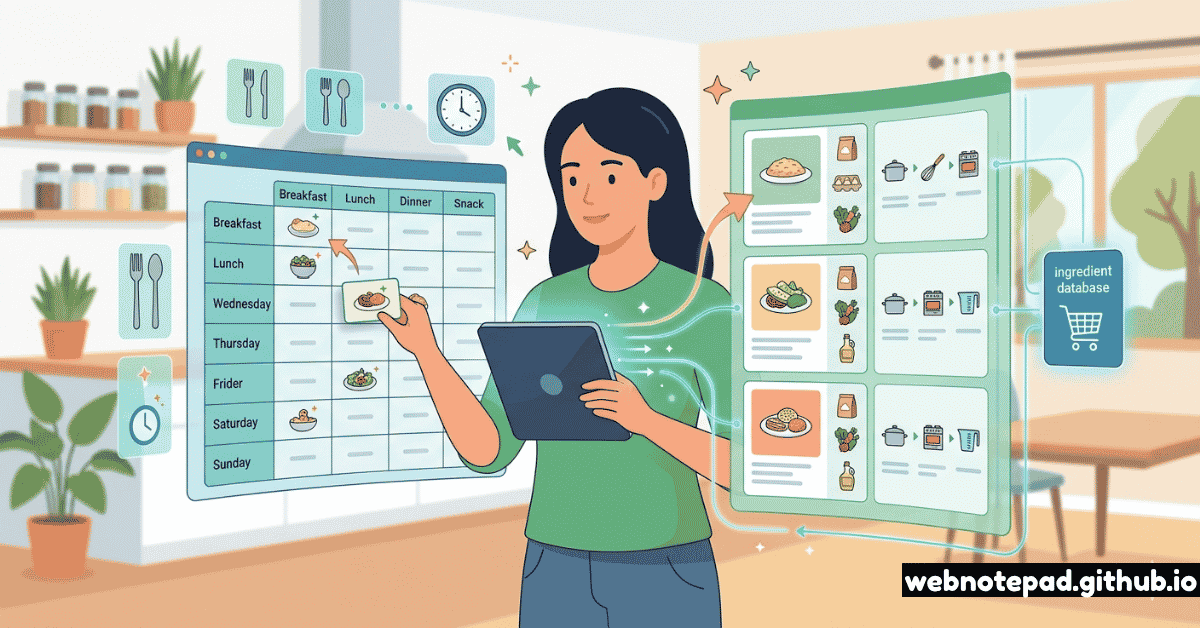
Each part feeds the next in a virtuous cycle: your recipe library informs your weekly menu, your weekly menu generates your grocery list, and your food diary captures how each meal made you feel — informing next week's menu choices. The whole system takes about 20 minutes on Sunday to maintain.
━━━━━━━━━━━━━━━━━━━━━━━━━━━━━━━━━━━━━━━━━━━━━━
🍽  WEEKLY MEAL PLAN — w/c [DATE]
━━━━━━━━━━━━━━━━━━━━━━━━━━━━━━━━━━━━━━━━━━━━━━

THEME THIS WEEK:  [e.g. Mediterranean / Quick weeknights / Budget week]
DIETARY NOTES:   [Gluten-free / Vegetarian / High protein / etc.]
SERVINGS:        [Number of people / portion sizes]

──────────────────────────────────────────────
MONDAY
──────────────────────────────────────────────
  Breakfast:  [Recipe / ingredient]
  Lunch:      [Recipe / leftovers from: ___]
  Dinner:     [Recipe name]  ⏱ [cook time]
    → Prep note: [anything to do the night before]
    → Leftovers: [will make 2 portions for Tuesday lunch?]

TUESDAY
  Breakfast:  [Recipe / ingredient]
  Lunch:      [Leftovers / meal prep from: ___]
  Dinner:     [Recipe name]  ⏱ [cook time]
    → Batch cook tonight: [extra portions for freezer?]

WEDNESDAY
  Breakfast:  [Recipe / ingredient]
  Lunch:      [Recipe / leftovers]
  Dinner:     [Recipe name]  ⏱ [cook time]

THURSDAY
  Breakfast:  [Recipe / ingredient]
  Lunch:      [Recipe / leftovers]
  Dinner:     [Recipe name OR Takeout night 🛵]

FRIDAY
  Breakfast:  [Recipe / ingredient]
  Lunch:      [Recipe / leftovers]
  Dinner:     [Recipe name — treat meal?]  ⏱ [cook time]

SATURDAY
  Breakfast:  [Brunch recipe / slow morning]
  Lunch:      [Recipe / out]
  Dinner:     [Recipe name — batch cook for next week?]  ⏱ [cook time]

SUNDAY
  Breakfast:  [Recipe]
  Lunch:      [Recipe]
  Dinner:     [Recipe — easy Sunday cook]  ⏱ [cook time]
    → Sunday Prep: [chop veg / marinate / cook grains for the week]

──────────────────────────────────────────────
SNACKS & EXTRAS
──────────────────────────────────────────────
  Snacks:     [Fruit / nuts / yogurt / etc.]
  Baking:     [Any baking planned this week?]
  Freezer:    [Meals going in / meals coming out]

──────────────────────────────────────────────
RECIPES NEEDED THIS WEEK
──────────────────────────────────────────────
  (Paste or link to recipe notes for each dish)
  → [Recipe 1 name]
  → [Recipe 2 name]
  → [Recipe 3 name]

━━━━━━━━━━━━━━━━━━━━━━━━━━━━━━━━━━━━━━━━━━━━━━
━━━━━━━━━━━━━━━━━━━━━━━━━━━━━━━━━━━━━━━━━━━━━━
🍳 RECIPE: [Recipe Name]
━━━━━━━━━━━━━━━━━━━━━━━━━━━━━━━━━━━━━━━━━━━━━━

CUISINE:      [Italian / Mexican / Asian / etc.]
CATEGORY:     [Weeknight / Weekend / Batch cook / Freezer-friendly / etc.]
SERVES:       [Number of portions]
PREP TIME:    [Minutes]
COOK TIME:    [Minutes]
DIFFICULTY:   [Easy / Medium / Challenging]
LAST MADE:    [Date]
RATING:       [★★★★☆ — from family/yourself]
DIETARY:      [GF / Vegan / Dairy-free / High protein / etc.]

──────────────────────────────────────────────
INGREDIENTS
──────────────────────────────────────────────
  (List in the order they're used, with measurements)

  [ ] [Quantity] [Unit] [Ingredient]
  [ ] [Quantity] [Unit] [Ingredient]
  [ ] [Quantity] [Unit] [Ingredient]
  [ ] [Quantity] [Unit] [Ingredient]
  [ ] [Quantity] [Unit] [Ingredient]

──────────────────────────────────────────────
METHOD
──────────────────────────────────────────────

  1. [First step — be specific about technique and timing]
  2. [Second step]
  3. [Third step]
  4. [Continue steps…]
  5. [Final step — serving / plating instructions]

──────────────────────────────────────────────
NOTES & VARIATIONS
──────────────────────────────────────────────
  Substitutions: [e.g. swap chicken for tofu for vegan version]
  Make ahead:    [e.g. sauce can be made 3 days in advance]
  Freezer:       [e.g. freezes well for up to 3 months]
  Serving:       [e.g. great with crusty bread / side salad]
  Sourced from:  [Book title / website / family recipe]

──────────────────────────────────────────────
COOK LOG
──────────────────────────────────────────────
  (Brief note each time you make it — changes, reactions, adjustments)
  [Date]: [What you changed / how it went]
  [Date]: [Note]

━━━━━━━━━━━━━━━━━━━━━━━━━━━━━━━━━━━━━━━━━━━━━━
- 1 whole chicken (1.5kg)
- 2 lemons, halved
- 4 cloves garlic, crushed
- 3 tbsp olive oil
- 1 tsp dried thyme
- 1 tsp dried rosemary
- Salt and black pepper
- Preheat oven to 200°C / 400°F.
- Mix oil, garlic, herbs, zest of 1 lemon, salt and pepper into a paste.
- Rub paste under and over skin of chicken.
- Stuff cavity with lemon halves and remaining garlic.
- Roast 45–55 min until juices run clear.
- Rest 10 min before carving. Serve with roasted veg.
Create a note for each recipe — searchable, auto-saved, exportable as HTML. Your personal recipe book, always with you in your browser.
Open Free Notepad →━━━━━━━━━━━━━━━━━━━━━━━━━━━━━━━━━━━━━━━━━━━━━━ 🛒 GROCERY LIST — w/c [DATE] ━━━━━━━━━━━━━━━━━━━━━━━━━━━━━━━━━━━━━━━━━━━━━━ BUDGET: £/$/€ [amount] STORE(S): [Supermarket / Market] ────────────────────────────────────────────── 🥦 PRODUCE (Fruit & Veg) ────────────────────────────────────────────── [ ] [Item] × [qty] [ ] [Item] × [qty] [ ] [Item] × [qty] [ ] [Item] × [qty] [ ] [Item] × [qty] 🥛 DAIRY & EGGS ────────────────────────────────────────────── [ ] [Item] × [qty] [ ] [Item] × [qty] [ ] [Item] × [qty] 🥩 MEAT, FISH & PROTEIN ────────────────────────────────────────────── [ ] [Item] × [qty] ← for [meal name] [ ] [Item] × [qty] ← for [meal name] [ ] [Item] × [qty] 🥫 PANTRY & DRY GOODS ────────────────────────────────────────────── [ ] [Item] × [qty] [ ] [Item] × [qty] [ ] [Item] × [qty] [ ] [Item] × [qty] 🧊 FROZEN ────────────────────────────────────────────── [ ] [Item] × [qty] [ ] [Item] × [qty] 🧴 HOUSEHOLD & OTHER ────────────────────────────────────────────── [ ] [Item] × [qty] [ ] [Item] × [qty] ────────────────────────────────────────────── ALREADY IN STOCK (CHECK BEFORE BUYING) ────────────────────────────────────────────── → olive oil / pasta / rice / tinned tomatoes / spices → [Add your own regular pantry staples here] ────────────────────────────────────────────── RUNNING LOW (RESTOCK SOON) ────────────────────────────────────────────── [ ] [Item nearly finished] [ ] [Item nearly finished] ━━━━━━━━━━━━━━━━━━━━━━━━━━━━━━━━━━━━━━━━━━━━━━
━━━━━━━━━━━━━━━━━━━━━━━━━━━━━━━━━━━━━━━━━━━━━━
🍽 FOOD DIARY — [DATE]
━━━━━━━━━━━━━━━━━━━━━━━━━━━━━━━━━━━━━━━━━━━━━━
  (Use in Online Diary — set mood to reflect your energy/wellbeing today)

ENERGY TODAY:     [1–10]   MOOD:  [😊/😔/😌/😴/🤩]
SLEEP LAST NIGHT:  [hours]  STRESS LEVEL:  [1–10]

──────────────────────────────────────────────
MEALS
──────────────────────────────────────────────

  Breakfast:   [What you ate + rough time]
  Lunch:       [What you ate + rough time]
  Dinner:      [What you ate + rough time]
  Snacks:      [Any snacks throughout the day]

──────────────────────────────────────────────
TRACKING
──────────────────────────────────────────────

  💧 Water:       [glasses / litres]
     [████████░░] ← fill in progress blocks

  🥗 Vegetables:  [portions] / 5 goal
     [████░░░░░░]

  🍎 Fruit:       [portions] / 2 goal
     [██░░░░░░░░]

  🏃 Movement:    [type / duration]

──────────────────────────────────────────────
HOW DID I FEEL?
──────────────────────────────────────────────

  After breakfast:  [Energised / Sluggish / Fine / etc.]
  After lunch:      [Note]
  After dinner:     [Note]
  Overall today:    [Note]

──────────────────────────────────────────────
OBSERVATIONS
──────────────────────────────────────────────

  What worked:    [Note anything positive]
  What to change: [Ate too late / drank too little / etc.]
  Tomorrow:       [Any intention for tomorrow's eating]

──────────────────────────────────────────────
RECIPE NOTE
──────────────────────────────────────────────
  Tonight's dinner was: [Recipe name]
  Rating: [★★★★☆]
  Notes for next time: [Adjustment]

━━━━━━━━━━━━━━━━━━━━━━━━━━━━━━━━━━━━━━━━━━━━━━
━━━━━━━━━━━━━━━━━━━━━━━━━━━━━━━━━━━━━━━━━━━━━━
⚙  MEAL PREP — Sunday [DATE]
━━━━━━━━━━━━━━━━━━━━━━━━━━━━━━━━━━━━━━━━━━━━━━

START TIME:   [e.g. 3:00 PM]     END TARGET:   [e.g. 5:30 PM]
GOAL:         [What meals will this prep cover?]

──────────────────────────────────────────────
WHAT TO COOK TODAY (in parallel order)
──────────────────────────────────────────────
  → Start longest-cooking items first. Work in parallel.

  🔥 OVEN (start first):
     [ ] [Recipe — e.g. Roast chicken]             ⏱ [time]
         → Will feed: [meals it covers]

  🍲 HOB / STOVETOP (start 2nd):
     [ ] [Recipe — e.g. Lentil soup batch]          ⏱ [time]
         → Will feed: [meals it covers]
     [ ] [Recipe — e.g. Brown rice × 6 portions]   ⏱ [time]
         → Will feed: [meals it covers]

  🔪 PREP / CHOP (while oven is on):
     [ ] [Veg — e.g. chop peppers, broccoli]
         → Will be used in: [meals]
     [ ] [e.g. Marinate chicken for Tuesday]
     [ ] [e.g. Make salad dressing × 4 servings]

──────────────────────────────────────────────
STORAGE PLAN
──────────────────────────────────────────────

  Fridge (3–4 days):
    □ [Item]  → container [size]  → use by: [day]
    □ [Item]  → container [size]  → use by: [day]
    □ [Item]  → container [size]  → use by: [day]

  Freezer (up to 3 months):
    □ [Item]  → portions: [n]     → label: [name + date]
    □ [Item]  → portions: [n]     → label: [name + date]

──────────────────────────────────────────────
THIS PREP COVERS:
──────────────────────────────────────────────
  (Quick reference — what is each night's dinner based on?)

  Monday dinner:    [Which prep component + what to add]
  Tuesday dinner:   [Which prep component + what to add]
  Wednesday dinner: [Which prep component + what to add]
  Thursday lunch:   [Which prep container]
  Friday dinner:    [Quick cook using prepped veg]

──────────────────────────────────────────────
PREP SESSION NOTES
──────────────────────────────────────────────
  What I'd do differently: [Note]
  Time actually taken:      [vs estimate]
  ✓ Prep complete:         [Time]

━━━━━━━━━━━━━━━━━━━━━━━━━━━━━━━━━━━━━━━━━━━━━━
Building a Searchable Recipe Library
The recipe library is the part of the system that compounds in value over time. Every recipe you store becomes instantly available for future meal planning. After 50 recipes, you'll never struggle to answer "what should we have this week?" again — you'll have a curated, tried-and-tested menu to draw from.
Naming convention for instant search
Always name recipe notes with a consistent prefix: "🍳 RECIPE: [Name]". In WebNotePad's sidebar search, typing "RECIPE" instantly surfaces all your stored recipes. Add searchable metadata in the note body — cuisine type, dietary tags, cook time — so you can search "RECIPE vegan quick" to find all quick vegan options. Within 3 months of consistent use, this becomes your most-reached-for note in the whole system.
The 10-Recipe Rotation
Research into decision fatigue shows that having too many options is worse than fewer, curated ones. Identify your 10 favourite weeknight dinners — the ones everyone eats, that are quick, that you can make without thinking — and make them your permanent rotation. Every week's menu is built primarily from these 10, with 1–2 new recipes added for variety. This reduces Sunday planning to 10 minutes and eliminates weeknight "what are we having?" stress entirely.
Setting Up Your System in 15 Minutes
Open WebNotePad and create your first four notes
Create: "📅 WEEKLY MENU — w/c [date]", "📚 RECIPE LIBRARY (index)", "🛒 GROCERY LIST — [date]", and a diary entry in the online diary. Keep all four accessible in the sidebar.
Store your 5 most-made recipes first
Think of the 5 dinners you cook most often. Create a recipe note for each using Template 2. Don't overthink it — a rough version you improve over time is better than a perfect one you never write.
Plan this week's menu
Use Template 1 to plan meals for the next 7 days, pulling from your 5 stored recipes and filling gaps with simple meals. This first week takes 20 minutes. Week 3 will take 8.
Generate your grocery list
Go through each planned meal, pull ingredients into Template 3, and head to the shop. Alternatively, transfer the grocery section to the List Maker's grocery template to check items off as you shop on your phone.
Start your food diary tonight
Open the online diary, create a new entry using Template 4, and jot down what you ate today and how you felt. Just 5 minutes. The patterns that emerge after 30 days are genuinely surprising and useful.
Week 1 of this system takes about 30 minutes to set up. By week 4, Sunday planning takes 10 minutes because your recipe library is stocked and your rotation is established. By month 3, you've reduced food spending, cut weeknight stress, and have a searchable record of every meal you've enjoyed — a personal cookbook built entirely from what your household actually eats. All in a free browser notepad. No app required.